Launch Tabletop creates print-on-demand board games and accessories, and provides mass production services to the tabletop gaming industry.
Home
Dispatch
TCG Smith
Shop

Log in

InstagramFacebookTwitterYouTube

Launch Lab articles

Creating A Component

Last updated: 9 Jan 2026

Overview

This article will step you through the process of adding components - like cards, boards, playmats, dice and more - to your project in Launch Lab. Watch the short video tutorial below, or read on.


Adding a component

First, log in to Launch Lab at app.launchtabletop.com/login. This will take you to the Projects screen, where you can see a list of any projects you have in progress. If you don't already have one, you will need to create a Project first, in order to add components.

Click on your project to open it. This will take you to the Component list.


Component list

If you have already added components, you'll be able to see them on this screen. Click the Add a component button.
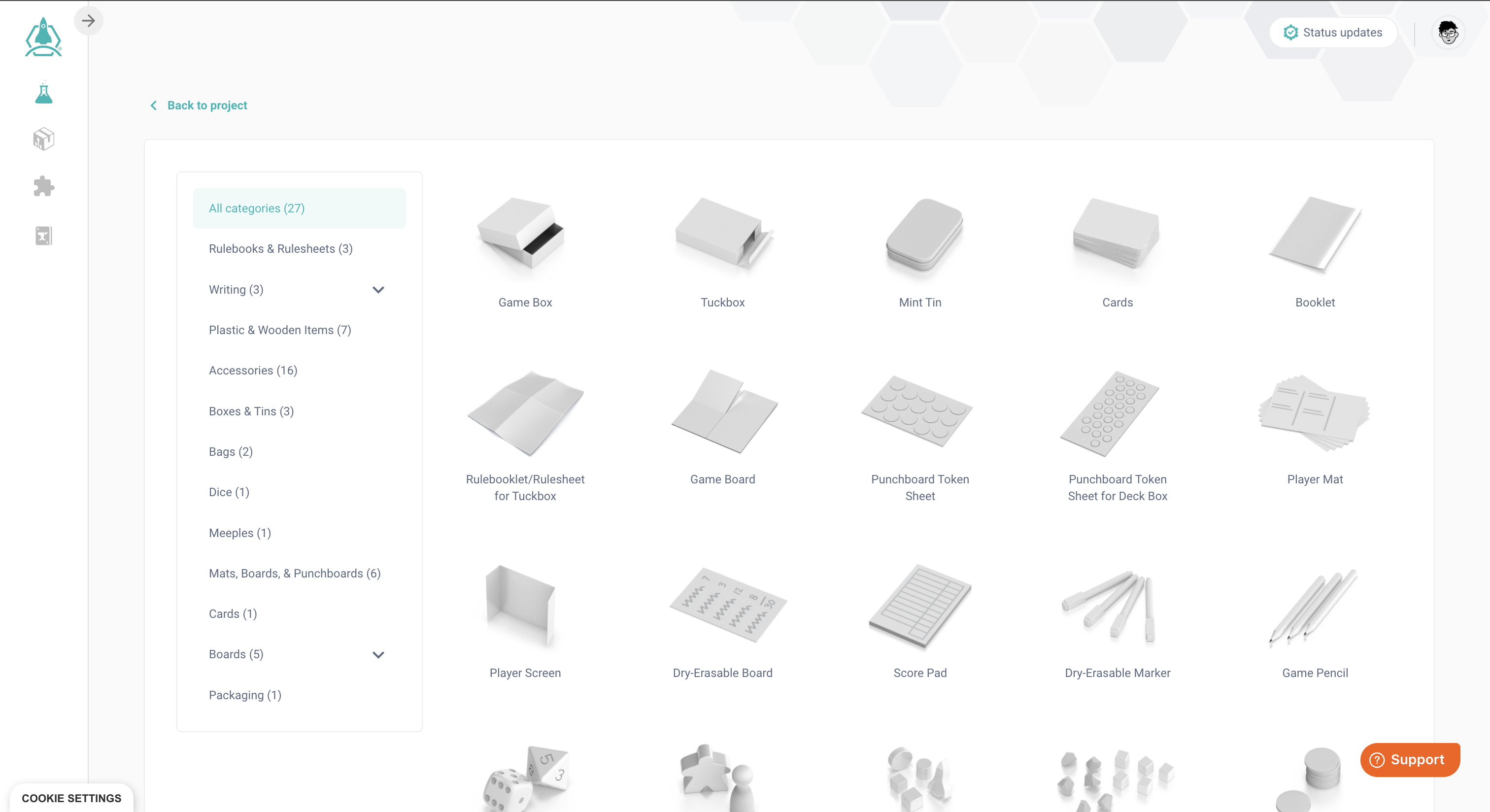
This will take you to the Select a component screen. Here, you'll see an overview of all the component types Launch Lab has available, with preview images. Click on the component type you'd like to add.


Customising a component

When you click on a component type, you will see the Customise screen. The below is the Customise screen for a tuckbox.
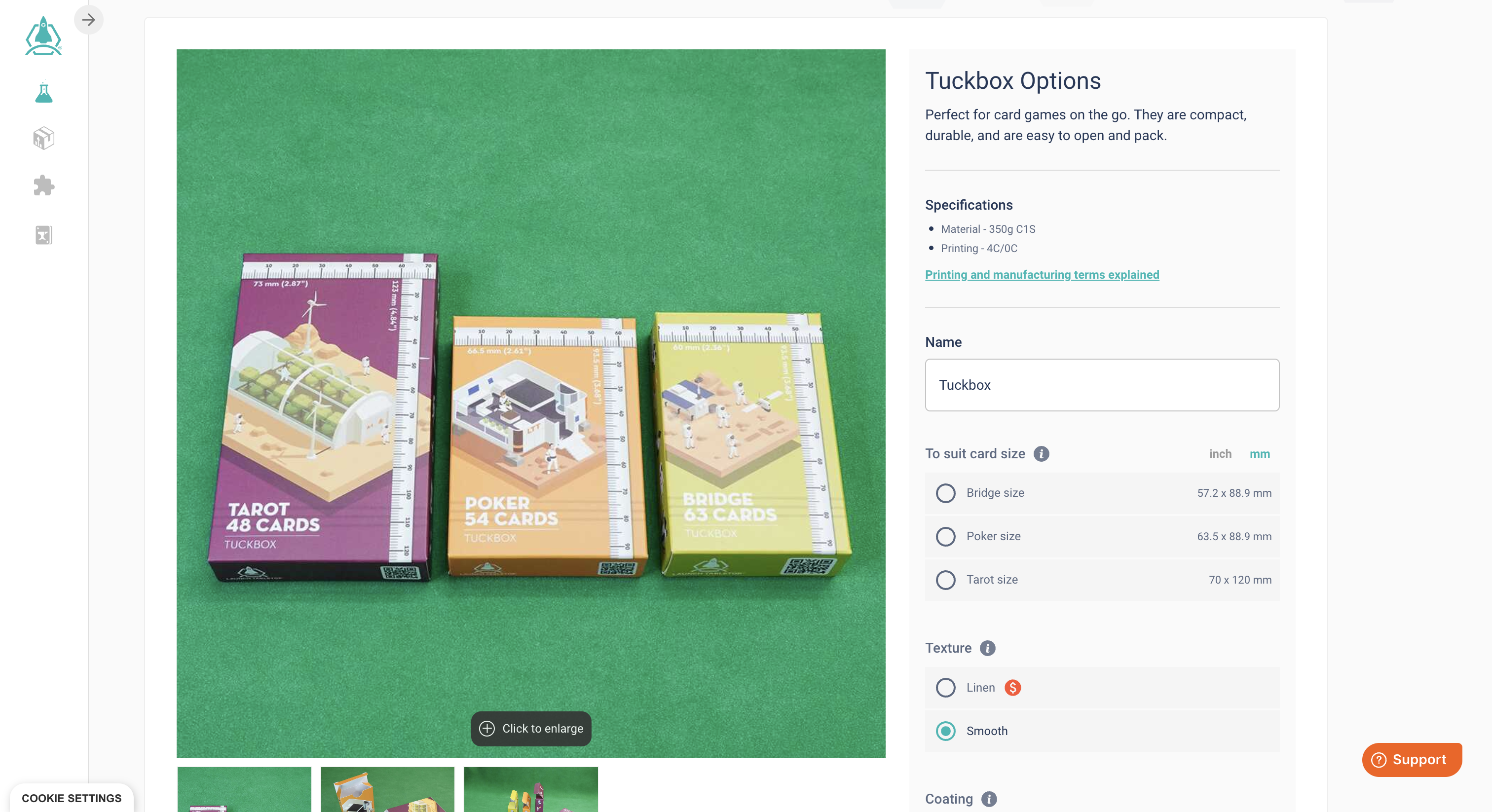


Each Customise screen includes a visual preview of the product with a ruler for scale, and a number of different options. 


Different component types offer different options, but generally, you'll be able to adjust some or all of the following:

Name

If you choose, you can give this component a custom name. This is useful if you have more than one of the same kind of component in your game, and want to be able to tell them apart at a glance.

Quantity

Select how many of each component you need in your game.

Size / shape

Most components offer different size options; some, like tokens and dice, are also offered in multiple different shapes.

Texture / coating

Many components allow you to select different textures, coatings, or finishes - these typically include gloss, matte, linen, and smooth options.

1-sided / 2-sided printing

Some printed items can have custom art printed on just one side, or both. If you prefer to leave a component plain, some, like the mint tin or the drawstring bag, can be left unprinted.

Colour

Some components, like tokens, dice, and drawstring bags, are also offered in multiple different colours.


Finishing up

When you have finished customising your component, click Add Component. You will now be returned to the Component List for your project, and you will see the new component you've added there.
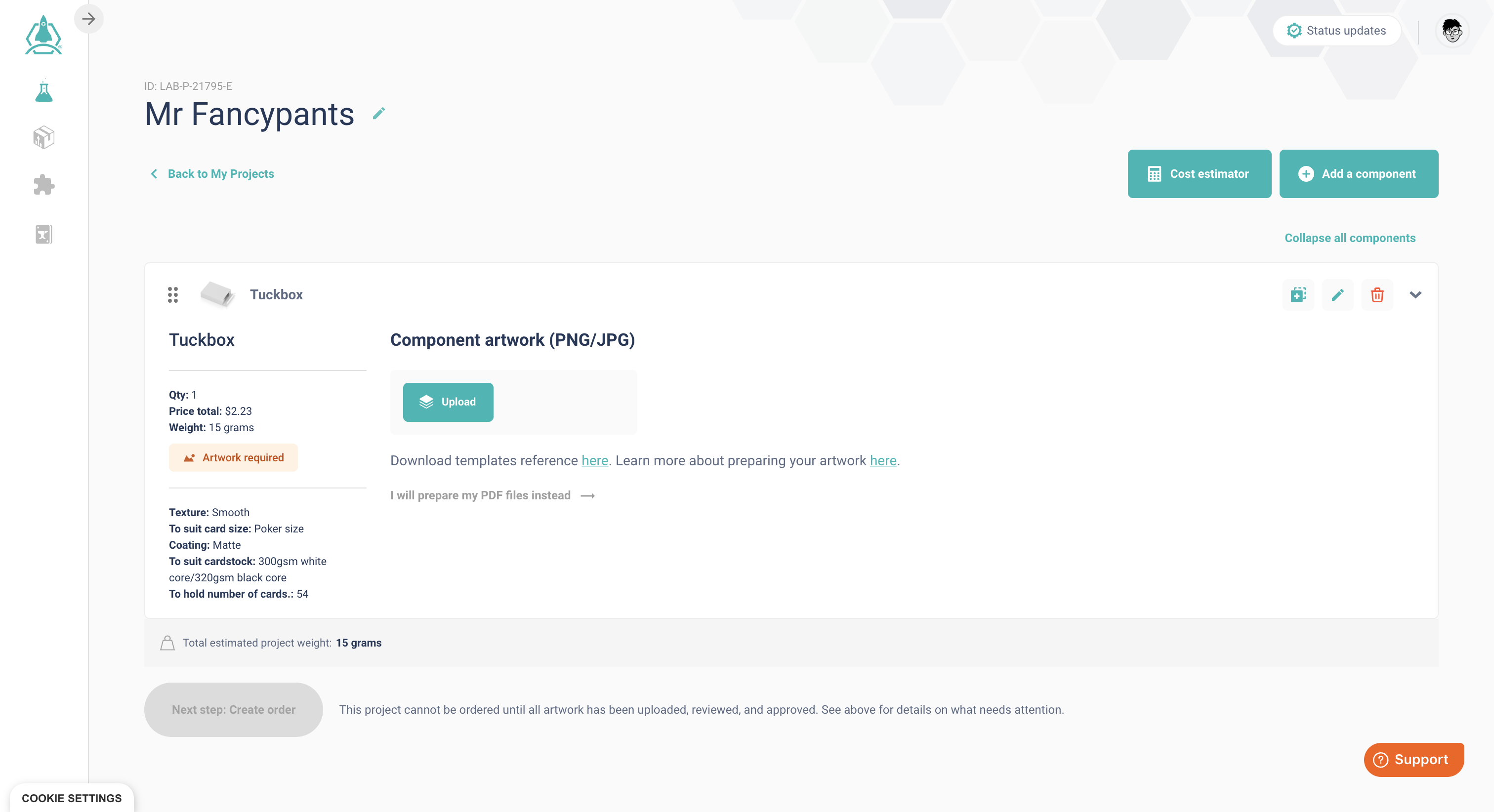

This screen gives you a lot of valuable information, including templates for your artwork, a calculated weight and cost for each component, plus a calculated total weight and total cost for the whole project.


From here, the next step is to add artwork to your project.


Related articles in 'Component Options'

Custom Sized Game Boxes

2 Dec 2024

Frequently asked questions

At the top of your component list page is a Unit Price Estimator button. Click on this to view a custom board game pricing estimate for your project as it currently stands.

Adjusting the number of units to be produced will show the effect of different quantities on the cost per unit. The more units you make, the lower the cost per unit and overall board game manufacturing cost.

Beneath the number of unit selectors, there are two tabs:

  • Project breakdown: This is a list showing the individual components in your project and the cost associated with each element, helping you understand your custom board game price in detail.
  • Unit cost price breaks: This is a visual way to show where the major price breaks occur and how this affects the cost per unit.
  • Create an order: At the bottom of your component page, click the ‘Create Order’ button.
  • Name the order: Give your order a name.
  • Select projects: Select which projects you wish to add to your order.
  • Set quantity: Set your quantity of units for each project in your order. A total price indicator will specify the total cost.
  • Select shipping address: Select the address you’d like this order shipped to. You are also able to add and select a different address.
  • Review order: Choose a delivery option for your project from the list provided, then click ‘Complete your order’. You will be required to make payment before your order is sent off to review & production.

Important Notes

  • Only projects including a container/box can be selected.
  • Only projects with artwork that has passed preflight can be selected.

If you wish to proceed with a specific order, you’ll need to follow the Order process, which includes:

  • Confirm quantity & price.
  • Confirm shipping address.
  • Review your order.

Once this is done and if you’re happy to proceed, choose a courier service you’d like to go with.

Click on ‘Complete your order’ and you will be taken off to a secure page to make payment.

Once payment has been finalised, your order will now be active and will be reviewed by a Launch Tabletop representative shortly.

The two most important things to consider are:

  • The size of the board you need when it's unfolded and ready for play and
  • The box size you need to fit it into when folded to be put away.

Taking those two things into account, decide on whether you prefer a bi-fold or a quad-fold board, whether you want to print on 1-side or both sides of the board, choose a finish on the printed sides, and select from the sizes available. For more compact board games, you may prefer a bi-fold, whereas long epic adventures may require a large quad-fold board to create an immersive tabletop experience. These formats are ideal for custom-made board games that demand a unique play style or footprint. Read more about our game board options.

Have any questions that aren’t covered above? You may find the answer over in our Knowledge Base.

Create customised board game components with Launch Lab

Join Launch Lab now for free

Sign up for free to explore a universe of possibility.

Launch Tabletop helps creators make custom board games.

Log in

Overview

Component library

Pricing

Status updates


Follow us

Stay connected

Join our newsletter to keep up to date with new features and releases


Privacy Policy

Terms of Service

Subscribe

Copyright © 2026 Launch Tabletop Ltd. All rights reserved.